Indoor Security Camera Buying Guide for Practical Room Monitoring
Indoor security cameras appeal to a wide range of households because they can solve several different problems with one device: checking in on pets, watching a nursery, confirming whether kids made it home, monitoring a main room while traveling, or keeping an eye on an apartment entry. The mistake is assuming those uses all call for the same kind of camera. Indoors, the main tradeoffs are usually not ruggedness or long-distance coverage. They are privacy, placement, alert reliability, audio usefulness, and how comfortable the camera feels in a lived-in space. A model that seems feature-rich can become frustrating if it records too much harmless activity, points into the wrong part of the room, or makes household members feel like they are constantly on display. This guide focuses on those practical choices so you can select an indoor camera that fits the room, the people using it, and the long-term reality of everyday home life.
Start with the room’s purpose and what you actually need to see
Indoor cameras are often bought with a vague goal such as “keeping an eye on the house,” but the more specific your purpose is, the better the buying decision becomes. A camera intended for pet monitoring in a living room has different needs from one intended for a nursery, a front hallway, a shared family room, or a home office that contains valuable equipment. Before looking at app features or image specs, it helps to decide which daily uncertainty the camera is supposed to reduce.
For example, if your main goal is checking whether a pet is resting normally, eating, or pacing near a door, you may care more about room coverage and two-way audio than about maximum detail. If you want to confirm whether someone entered through an apartment door while you were away, you may care more about entry visibility, motion timing, and clip review. If you are monitoring a nursery, nighttime visibility, sound awareness, and household privacy become more important than broad room coverage. The camera type feels more obvious once the purpose is narrow.
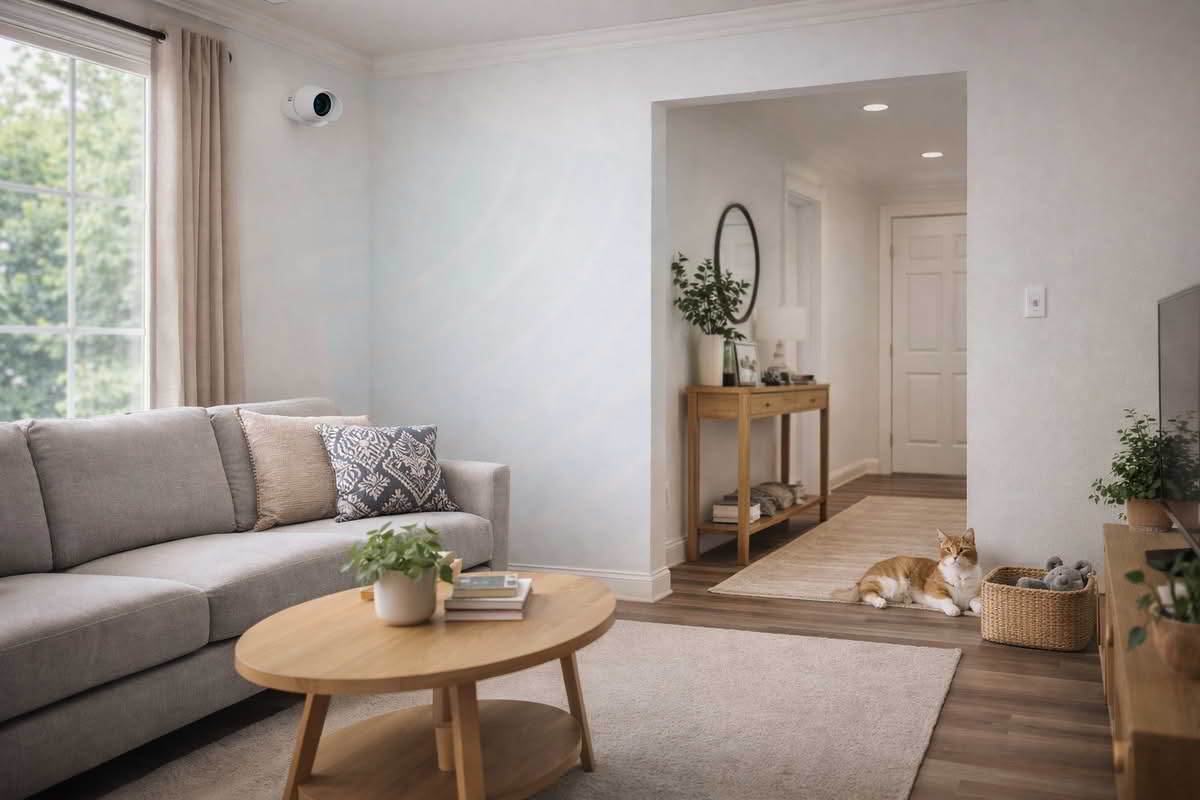
Placement shapes that experience more than most buyers expect. A camera in a living room corner can cover a lot of space, but it may also create awkward blind spots behind furniture or windows that produce glare at certain times of day. A hallway placement may capture arrivals clearly but provide little context about what happened next. A camera set on a shelf may be convenient, yet unstable if cords are visible, surfaces get bumped, or the lens angle ends up too low. Indoor cameras usually perform best when they are positioned to observe a meaningful path of movement rather than trying to see every square foot of a room.
Define the job first: pet check-in, nursery awareness, entry monitoring, or whole-room visibility.
Choose placement based on movement paths, not just the widest possible corner view.
Assume furniture, lamps, windows, and door swings will affect real-world coverage.
Prioritize a stable useful angle over the most convenient temporary shelf location.
Pan-and-tilt cameras deserve careful thought here. They can be extremely helpful in rooms where activity moves unpredictably or where a fixed lens would leave too many blind spots. They also appeal to buyers who want the feeling of more complete coverage from a single device. But movement features do not automatically solve placement problems. In some households, a well-placed fixed camera is calmer, simpler, and more reliable because it provides a consistent frame that is easy to interpret. A moving camera may cover more territory, yet it can also introduce more setup complexity and a less stable sense of what the room looked like when an event occurred.
Lighting indoors is another overlooked issue. People assume indoor environments are easier for cameras because they are protected from weather, but a room with large windows, bright lamps, or very dim nighttime corners can still challenge image clarity. A sunlit living room in the afternoon behaves differently from a softly lit nursery at night, and a camera positioned toward a bright window may produce worse usable footage than expected. If the room changes dramatically over the course of the day, it is worth thinking about where the brightest and darkest areas will be during actual use.
Indoor camera placement works best when it follows the room’s real activity patterns instead of trying to see every part of the space equally.
One more common mistake is trying to use a single indoor camera as a substitute for a broader home monitoring plan. Indoor devices are best when they answer focused questions about a specific room or transition point. They are less effective when you expect one small camera to explain activity across multiple disconnected spaces. If your need is truly room-specific, an indoor camera can be an elegant tool. If your need is broader household coverage, it may be better to think in layers rather than forcing one camera to do too much.
Treat privacy controls and feature choices as core buying factors
Privacy is not a side issue with indoor cameras. It is one of the main reasons some households end up loving the device while others unplug it after a few weeks. Unlike outdoor cameras, indoor cameras live in spaces where family members relax, move through ordinary routines, and expect a basic sense of comfort. That means privacy features are not just reassuring extras. They are part of the product’s usefulness.
Some buyers want a camera that is always available for remote checks. Others want something that can be clearly disabled when the household is home. Physical shutters, lens covers, privacy modes, or obvious status indicators matter because they change whether people trust the camera’s presence. A technically capable device that makes the home feel surveilled is rarely a long-term success. In practice, many households prefer a camera with slightly fewer advanced features if it offers clearer, more intuitive privacy behavior.
This is especially important in bedrooms, nurseries, guest rooms, and multipurpose spaces. In those rooms, the question is not only what the camera can see, but when it should be allowed to see it. A pet-monitoring setup in a living room may be acceptable when everyone is away, while a nursery camera may need much more careful rules around audio access, cloud storage, or how footage is reviewed. Buyers sometimes underestimate how differently indoor monitoring feels once it is pointed into a real home environment rather than imagined abstractly as “security.”
Audio features are part of that privacy equation too. Two-way talk can be genuinely useful for calming a pet, speaking to a child from another room, or confirming whether someone in the home heard a phone call or alarm. But always-on microphones and audio notifications also change how the device feels in daily life. If audio is important to your use case, pay attention to whether you actually need conversation, ambient sound awareness, or just a simple ability to check in occasionally. The feature list can make these sound interchangeable when they are not.
Clear privacy controls are a functional requirement for indoor cameras, not a cosmetic detail.
Choose the simplest privacy behavior your household will consistently understand and trust.
Think about whether audio should support check-ins, alerts, or occasional communication.
Be realistic about which rooms can tolerate constant camera presence comfortably.
Subscription and storage choices also matter more indoors than they first appear to. Some buyers only want live view and a few recent clips. Others want a fuller event history because the camera is used to confirm routines, arrivals, or room activity that may not be noticed until later. Cloud storage can simplify remote access, while local storage may appeal to buyers who want less dependence on ongoing fees. The better option depends on how often you think you will review footage and whether you are prepared to manage local hardware or accept plan limitations.
It is also helpful to decide whether the camera is part of a broader smart home system or a standalone tool. Integration with displays, voice assistants, or a larger monitoring platform can be convenient, but only when it makes the core job easier. Indoor cameras are especially vulnerable to feature inflation because the hardware is compact and the software can promise many different automations. The safer approach is to focus on the core tasks first: reliable room visibility, sensible alerts, comfortable privacy behavior, and easy review when something actually matters.
A good buying filter is to ask whether each feature reduces uncertainty or merely adds novelty. Motion tracking, sound alerts, smart tagging, and automations can all be useful in the right room. But if they do not directly support the camera’s purpose, they may increase complexity without improving daily life. Indoor monitoring works best when the system feels quiet, understandable, and easy to control.
Judge the camera by daily usability, not just headline features
Once an indoor camera is installed, the ownership experience is shaped far more by alert behavior and app design than by the product description that sold it. This is where many purchases succeed or fail. Indoors, activity often includes harmless movement that is frequent and repetitive: pets changing rooms, people walking through a hallway, shifting light from windows, fans moving objects, or family members crossing the frame in normal routines. If alerts are too broad or poorly tuned, the camera becomes a source of distraction rather than reassurance.
That is why detection quality matters more than alert quantity. A useful indoor camera should help you separate meaningful events from background life. Motion zones, sensitivity settings, person detection, pet awareness, and scheduling tools all contribute to that. A camera that can be adjusted intelligently to the room tends to stay valuable longer because it respects the rhythm of how the space is actually used. One that notifies constantly without context teaches the household to ignore it.
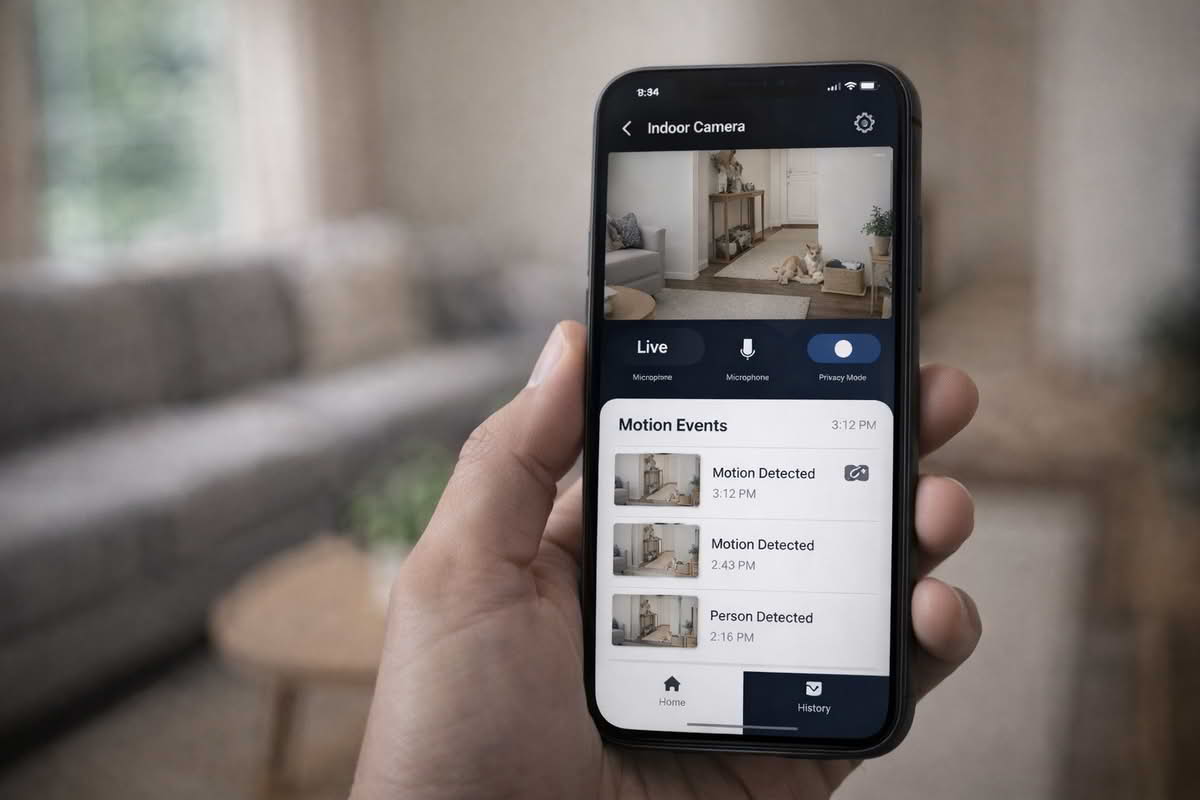
App speed and clarity are just as important. When you open the app, can you quickly get to live view? Can you scan the event history without confusion? Can multiple household members understand the controls without one person becoming the permanent technician? Indoor cameras often look simple because they are small, but the software experience determines whether they feel calm and useful or tedious and opaque.
Long-term ownership also includes the physical reality of the device. Indoor units may be easier to access than outdoor cameras, but that does not mean they disappear into the background automatically. Cords can be awkward. Power outlets may limit the most logical mounting spot. Lenses collect dust. Shelves get rearranged. A camera that is easy to nudge out of position can become less trustworthy over time if no one notices the framing has drifted. The best setup is often the one that fits naturally into the room without demanding constant attention.
Prefer alert controls that help the camera fit the room’s actual rhythm.
Fast app access and simple clip review usually matter more than advanced automation features.
Consider whether the camera will be easy to keep powered, stable, and clean over time.
A household tool should be understandable to more than the most technical person in the home.
For pet monitoring, this often means valuing reliable casual access over complex analytics. For nursery use, it may mean caring more about nighttime steadiness, audio behavior, and privacy reassurance than broad room intelligence. For apartment entry monitoring, it may mean prioritizing a clear view of the door and meaningful notifications rather than full-room coverage. Indoor cameras perform best when buyers accept that each room has its own success criteria.
Daily usability depends heavily on how quickly the app surfaces live view, event history, and privacy settings when you actually need them.
One subtle failure mode is buying an indoor camera that is technically impressive but socially awkward. If household members dislike where it points, distrust when it records, or find the app annoying, the system starts to be disabled, unplugged, or ignored. That is not a small issue. In indoor monitoring, trust and convenience are inseparable. A camera only helps if people are willing to keep it active in the first place.
The most durable buying decision is usually modest: pick the room, define the question the camera should answer, choose privacy behavior that the household accepts, and favor reliable daily usability over software spectacle. Indoor cameras are not most valuable when they do the most things. They are most valuable when they reduce uncertainty in a calm and low-friction way.
Final Recommendations — choosing an indoor camera that fits the room and the household
The right indoor security camera is usually the one that matches a specific room purpose without creating privacy discomfort or notification fatigue. Start with the room and the people in it, then choose a camera style, feature set, and storage approach that support that setting realistically. This leads to lower-regret decisions than chasing the longest list of app features.
Choose fixed indoor cameras when you want a simple, stable view of one room or entry area.
Prioritize privacy controls, alert tuning, and app usability above novelty features that add complexity.
Match the camera to a clear room-level purpose such as pet checks, nursery awareness, or entry monitoring.
In the long run, the best indoor camera is the one your household continues to trust, understand, and actually use. A calm system with sensible privacy behavior and reliable room coverage will usually provide more value than a feature-heavy device that feels intrusive, confusing, or too demanding to keep active.