Wi-Fi Router Buying Guide for Practical Everyday Home Connectivity
A Wi-Fi router is easy to underthink because the purchase usually happens after something has already gone wrong. Streaming starts buffering, the office call drops in one room, the front camera feels unreliable, or the whole network slows down once several devices are active at the same time. At that point, buyers often chase the biggest speed claims they can find, even when the real issue is not raw speed at all. It may be router placement, device load, an aging router, or a home small enough that mesh is unnecessary but complicated enough that a weak entry-level router no longer fits. A good router should make the network feel calm and predictable across the spaces that matter most. This guide focuses on those practical tradeoffs so you can choose a router that fits your home size, internet habits, and connected-device load without overbuying for features the household will never really use.
Start by deciding whether a better router is the real solution
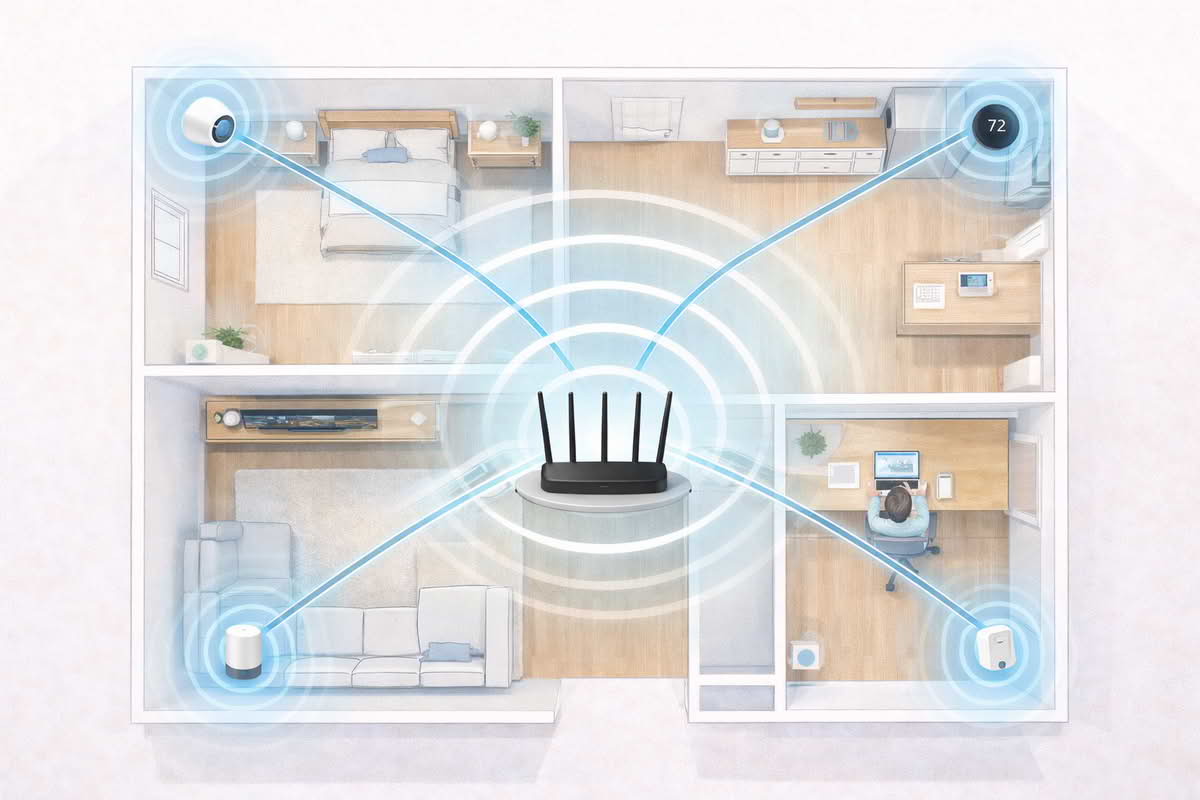
The first useful router decision is not which model to buy. It is whether a single-router upgrade is actually the right answer for the problems you are experiencing. Buyers often assume weak connectivity always means they need a more powerful router, but some homes really need better placement, a mesh system, or a clearer understanding of where the breakdown is happening. A router is the right upgrade when one central device still has a realistic chance of serving the home well.
Smaller homes, apartments, condos, and many straightforward single-story layouts are often good candidates for a router-first solution. In those spaces, the network problem is frequently not distance alone. It may be an old router, poor device handling, awkward placement, or a router that was never strong enough for the number of connected devices now relying on it. In these homes, replacing the router can produce a much cleaner and simpler improvement than jumping immediately into a multi-node mesh system.
This is especially true when the main complaints are concentrated around overall sluggishness, inconsistent streaming in nearby rooms, or a growing sense that the network feels unstable whenever several things happen at once. Those problems often point toward a router that is no longer handling the household well rather than toward a home that truly needs distributed wireless coverage. A better router can help when the home is still central enough to be served from one sensible location.
Choose a router-first upgrade when the home is compact or moderate in size and can still be served from one reasonable central area.
Question a router-only solution if the home has several distant weak zones or very difficult multi-level coverage problems.
Think about whether the network issue is general instability or specific dead zones.
Do not assume the newest router will fix a problem that is really about poor placement or a hard-to-cover layout.
Another common mistake is confusing internet-plan frustration with router frustration. A router cannot overcome every provider problem, and a faster advertised router does not automatically make a slow incoming connection feel transformed. But when the home internet plan is reasonably adequate and the internal wireless experience still feels patchy, delayed, or uneven, the router becomes a much more relevant place to improve the system.
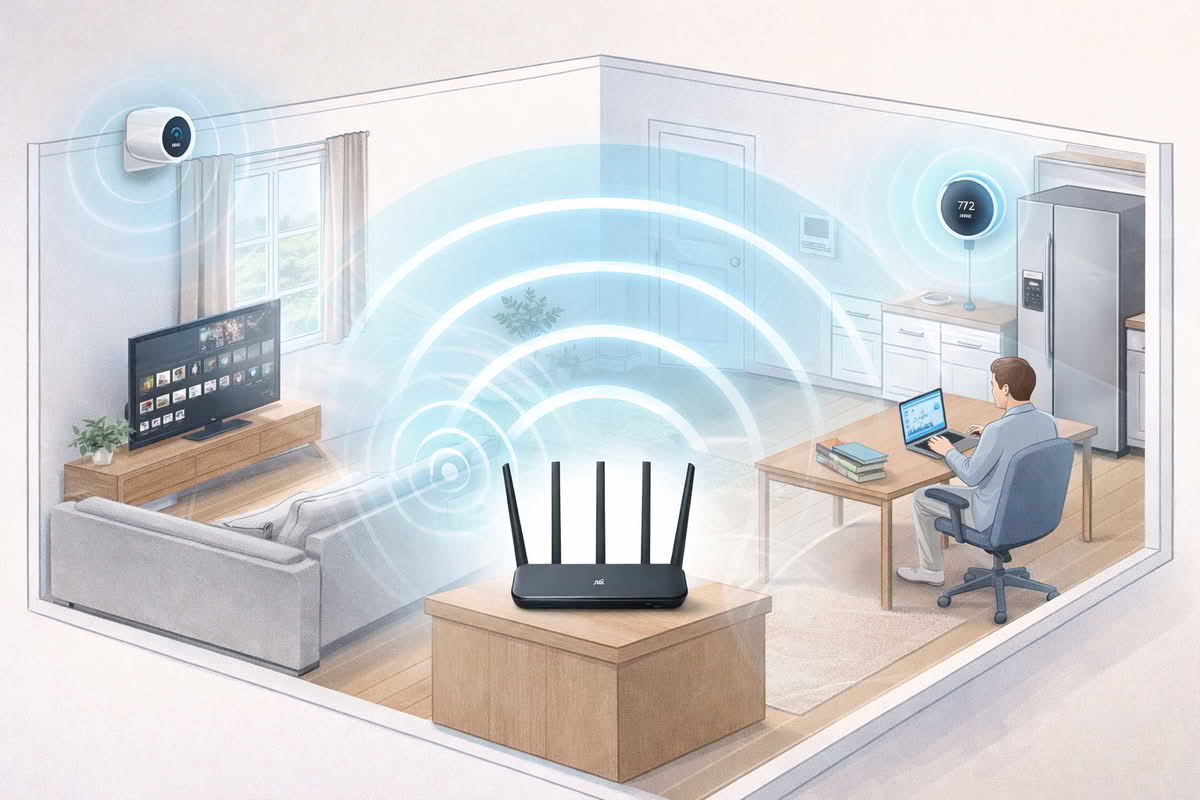
Smart-home households often notice this earlier than others. A phone may browse well enough near the couch while a porch camera drops, the office speaker hesitates, and the bedroom streaming device feels unreliable at busy times. That does not always mean the house needs mesh. It may mean the current router no longer handles modern device density gracefully. A household with cameras, displays, plugs, speakers, TVs, laptops, and phones places a different kind of demand on the network than one with only a couple of personal devices.
A better router makes the most sense when one central device can still reasonably serve the home but the current network is struggling under modern device load.
The practical starting point is to ask whether the home is fundamentally one-router-shaped. If the answer is yes, a stronger router is often the cleaner and lower-maintenance upgrade. If the answer is no, pushing harder on one central router may only create more disappointment. That distinction matters more than any one feature badge on the box.
The safest mindset is to define the failure pattern first. If the network feels weak almost everywhere or strained under household activity, a router upgrade is often a strong candidate. If the network is good near the router and predictably weak only at far edges, the right solution may lie elsewhere.
Match the router to home size, placement reality, and how many devices are truly competing
Once a router upgrade makes sense, the next question is what kind of router fits the home realistically. This is where buyers often overfocus on abstract speed tiers and underfocus on the more practical forces shaping everyday performance: home size, wall density, router placement, and device count. A router lives in a real house with real furniture, real walls, and a modem location that is often less than ideal.
Placement matters more than many buyers expect. A strong router tucked into a cabinet, hidden behind a television, or pushed to one edge of the home will rarely feel as effective as it could. Buyers sometimes replace the router without changing anything about where it sits, then wonder why the improvement feels partial. A good router still needs a fighting chance to spread signal through the rooms that matter. In smaller homes, better central placement can make almost as much difference as the router upgrade itself.
Home size should be judged by usable shape, not only by square footage. A compact apartment with thick walls or a poorly placed modem can create more difficulty than a slightly larger but more open floor plan. Likewise, a modest single-story home with several streaming devices, smart-home gear, and work-from-home traffic may need a more capable router than a similarly sized home with much lighter usage. This is why “coverage area” marketing rarely tells the whole story. The household’s device behavior is just as important as the building footprint.
Device load is especially important now because many homes are quietly far busier than they were a few years ago. Laptops on video calls, streaming televisions, gaming consoles, tablets, phones, cameras, doorbells, smart speakers, hubs, thermostats, and plugs all contribute to the feel of the network even if each one is not consuming huge bandwidth all the time. A good router should not only reach the room. It should stay stable while several parts of the house are active at once.
Choose the router based on where it can realistically be placed, not just on the best-case coverage language.
Think about device count and simultaneous activity, not only raw internet-plan speed.
Use home shape, wall density, and modem location as part of the decision, not just square footage.
Do not overpay for extreme router hardware if the real home use is moderate and the layout is straightforward.
This is where Wi-Fi 6 routers often make practical sense. Their value is not only about top-end speed. In many homes, the real benefit is steadier multi-device handling and a cleaner fit for increasingly crowded networks. That does not mean every household needs one automatically, but homes with several active devices, growing smart-home systems, and heavier daily traffic often benefit from that broader stability more than they benefit from a cheaper router that only looks adequate on paper.
Budget routers can still be sensible when the home is smaller, usage is moderate, and the main goal is replacing an outdated or weak ISP-provided unit with something more capable. In those situations, the improvement can be meaningful without requiring a premium purchase. The mistake is choosing budget hardware for a household that has already outgrown it through device sprawl, remote work, cameras, and streaming across several rooms.
Router performance depends heavily on central placement, wall layout, and how many devices are active across the home at the same time.
Easy-setup routers deserve real attention too, especially for households that want better connectivity without turning the network into an ongoing management project. Simpler setup experiences can provide a lot of value when the home’s needs are ordinary and the buyer mainly wants stability, guest access, and basic device control without a steep learning curve. Better usability can be more important than deeper controls if the household is unlikely to fine-tune the network later.
The better buying mindset is to choose the smallest level of networking ambition that still fully fits the home. A router should be strong enough for the actual rooms, device load, and daily routines that matter, but it does not need to be chosen like a trophy. Better placement and better fit usually matter more than the most aggressive specification sheet.
Judge routers by stability and everyday management, not by speed language alone
Once a router is installed, the household will care far less about theoretical peak speed than about whether the network feels dependable. That is the real test. Does streaming stay calm in the evening? Do calls remain stable in the office? Do smart devices stop quietly dropping off? Does the network recover gracefully from ordinary household activity instead of becoming one more hidden source of friction?
App quality matters here more than many buyers realize. Modern routers are partly hardware and partly management experience. The app or interface should make setup understandable, show device status clearly enough, and allow basic guest-network or pause-style controls without becoming a puzzle. A router can be technically strong and still feel annoying to own if the software side is cluttered, vague, or harder to understand than the household is willing to tolerate.
Reliability also means being realistic about what “gaming-capable” or “high-performance” router language actually means in a normal home. Those routers may make sense when a household truly mixes gaming, streaming, work calls, and a large device count under one roof. But for many buyers, the appeal of gaming branding is really a desire for stable performance under load. That can often be satisfied by a well-chosen mainstream router without buying into a more specialized identity than the household actually needs.
This is another reason not to judge routers only by top-end speed. A home rarely feels better because the router advertises extreme theoretical throughput. It feels better because devices connect reliably, room transitions are less frustrating, and the network stops becoming the excuse for why several ordinary tasks fail at once. A good router should disappear into daily life. If the house keeps talking about the Wi-Fi, the problem is not fully solved.
Prioritize stable real-world device behavior over maximum headline speed.
Choose routers with management apps that make setup and routine control easy to understand.
Interpret gaming or premium branding through the lens of your actual home load, not through aspiration alone.
Judge the upgrade by whether streaming, calls, and smart-home devices become calmer in daily use.
Long-term value also depends on whether the router leaves room for modest growth. Many households that seem “normal” at purchase time gradually add more televisions, speakers, cameras, hubs, and work devices. A router does not need to be overbought for imaginary future needs, but it should not already feel narrow on day one. This is why households with heavier connected-device growth often do well with a solid Wi-Fi 6 router even if their immediate complaint seems simple.
Another quiet issue is trust in device handling. Some routers feel fast when tested nearby, yet create subtle instability when several smaller smart-home devices are involved. That matters in a connected house because cameras, locks, displays, plugs, and speakers are often the first to expose weak network behavior. A good router for a smart-home household should be judged not only by laptops and phones, but by whether the quiet background devices stay dependable too.
The lowest-regret purchase is usually the router that matches the home honestly: not oversized for bragging rights, not undersized for a house already full of connected activity, and not chosen only by the most dramatic marketing language. A calm, central, well-managed router often provides more real value than a more expensive model bought mainly because it sounded more advanced.
The best buying mindset is to treat the router as household infrastructure. Ask whether it will support the rooms where people actually work, stream, and rely on smart devices, whether the setup is manageable, and whether the home is likely to outgrow it quickly. Those questions reveal far more about long-term fit than any one speed figure on the front of the box.
Final Recommendations — choosing a router that actually fits the home
The right Wi-Fi router is usually the one that fits the home’s size, placement reality, and device load without adding more networking complexity than necessary. Start by deciding whether a single-router upgrade can realistically solve the household’s weak points, then choose the performance tier that matches the way the home is actually used.
Choose budget routers when the home is smaller, the layout is straightforward, and the main goal is replacing an outdated weak router cleanly.
Choose Wi-Fi 6 routers when the household has many active devices and needs steadier multi-device performance over time.
Choose gaming-capable or higher-performance routers only when the home genuinely mixes heavier network demands that justify the extra capability.
Choose easy-setup routers when the household values stable everyday use and simple management more than deep networking controls.
In the long run, the best router is the one that makes connectivity feel boring in the best possible way. It should handle the rooms that matter, keep smart-home devices dependable, and let the household stop thinking about the network every time streaming, work, or daily routines need to happen at once.