Smart Home Network Starter Buying Guide for a Reliable Connected Home
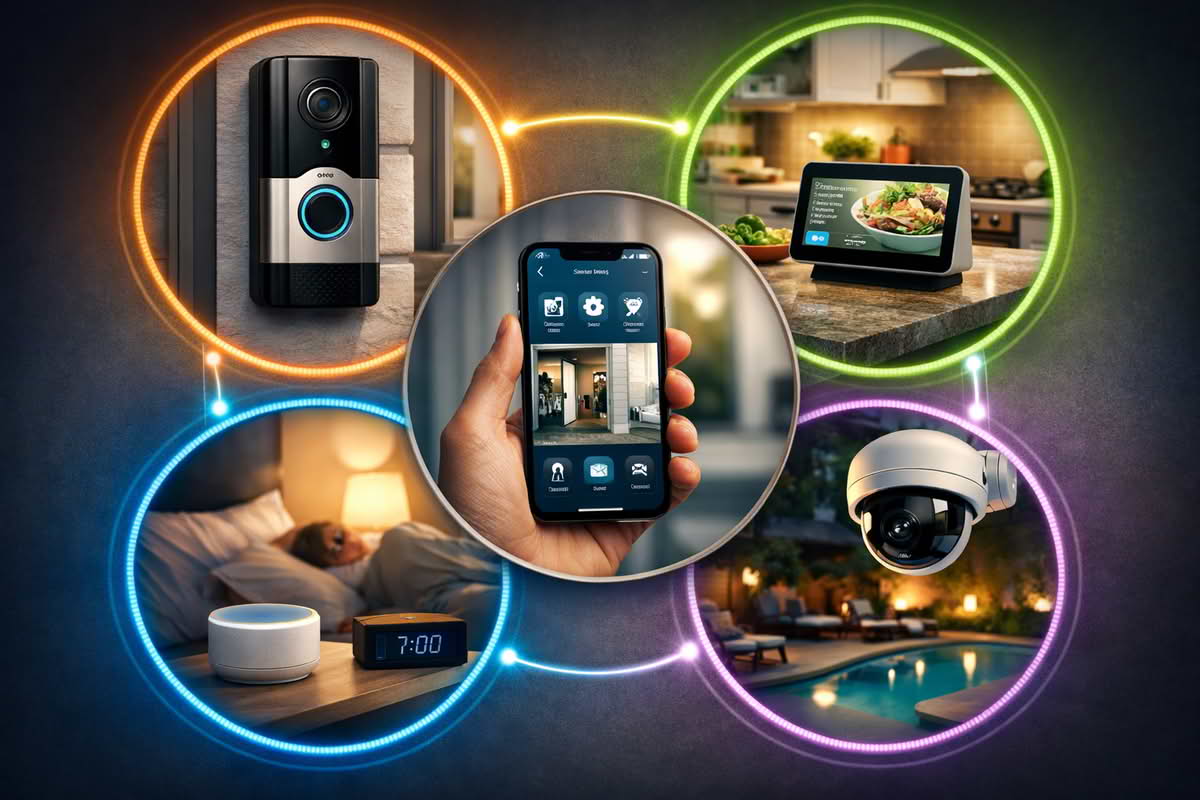
Many first smart-home problems are not really smart-device problems at all. The speaker ignores a command in the back bedroom, the front camera drops offline at random, the smart lock responds slowly, and the display in the kitchen feels reliable some days and inconsistent on others. Buyers often blame the devices because each failure appears separately, but the underlying problem is frequently the network. A smart home does not need an enterprise-grade setup to work well, but it does need a network that matches the shape of the home and the number of connected devices living in it. The best starter setup is usually not the most advanced one. It is the one that creates dependable coverage where your smart devices actually live, leaves room for modest growth, and avoids the common beginner mistake of trying to run a growing connected home on a weak or badly placed network foundation. This guide focuses on those practical tradeoffs so you can build a starter network that supports speakers, cameras, locks, hubs, and everyday household devices without turning connectivity into another ongoing frustration.
Start with home layout and where smart devices actually need reliable signal
The most useful way to build a smart-home network is to stop thinking first about networking hardware and start thinking about device geography. A connected home is not served evenly just because the living room gets strong Wi-Fi. The real test is whether the network reaches the rooms and edges where smart devices quietly depend on it every day. That often includes front porches, hallways, garages, bedrooms, kitchen counters, offices, and corners of the home where people do not stand very often but devices live permanently.
This is why beginner network planning should start with zones rather than with router marketing. Where is the modem located? Where are the front-door devices? Is there a camera at the garage or backyard? Do speakers live in the kitchen and bedroom? Is the office at the opposite end of the house? Does the thermostat sit centrally while the devices that struggle are actually at the perimeter? These details matter because a home network only feels good when it reaches the places where devices need quiet, stable connectivity, not just the places where people test speed on a phone.
Small homes and apartments often appear simpler than they really are. A compact footprint can still create problems if the internet entry point is at one far edge, if dense walls interrupt signal flow, or if nearby network congestion is heavy. Larger homes introduce a different challenge: more distance, more transitions, and more chances for smart devices to sit just outside comfortable coverage. In both cases, the actual floor plan matters more than square footage by itself. A modest but awkward layout can be harder on a starter network than a slightly larger open-plan home.
Map the rooms and exterior zones where smart devices live before choosing network hardware.
Pay special attention to front doors, garages, bedrooms, kitchens, and edge-of-home device areas.
Judge the house by signal path and device location, not just by square footage.
Remember that smart-home reliability depends on quiet background connectivity, not only on fast browsing near the couch.
Device type matters too. A phone or laptop can roam and reconnect fluidly, but a front-door camera or garage controller cannot move itself to a better spot when the network is weak. That makes static smart devices a more honest test of household coverage. If those devices live in marginal signal areas, the smart home will feel unreliable no matter how good the connection seems in the center of the house. This is one reason beginners often underestimate the network. The earliest failures come from edge devices, not from the router itself.
It also helps to think in terms of clusters. Some homes have most devices concentrated around the living room and kitchen. Others have a camera cluster at one end, an office at another, and bedroom devices upstairs. The more distributed those clusters are, the less likely it is that a single weak network point will feel acceptable over time. A starter network should be chosen around those clusters instead of around the fantasy that all rooms place equal demand on the system.
A strong starter network begins with the rooms and edge zones where connected devices actually live, not just where a speed test looks best.
Another quiet issue is that many starter smart-home devices are added over time rather than all at once. A house that begins with one speaker and a few bulbs can quickly grow to include a display, doorbell, camera, thermostat, plug controls, and a hub. If those devices are scattered across the home, the early networking choices matter more than buyers expect. A setup that barely covers the current devices often becomes visibly fragile once the next few are added.
The safest starting mindset is to ask where reliability matters most and whether those rooms and edge zones are likely to remain important as the smart home grows. When those locations are clear, the right starter networking structure becomes much easier to choose rationally.
Choose the simplest network structure that matches the home instead of buying pieces at random
Once the layout and smart-device zones are clear, the next decision is structure. This is where many beginners go wrong by buying a router, then an extender, then maybe a mesh kit later, without ever deciding what type of home they are actually networking. A smart-home starter setup should be treated like one small system from the beginning, even if the hardware remains simple.
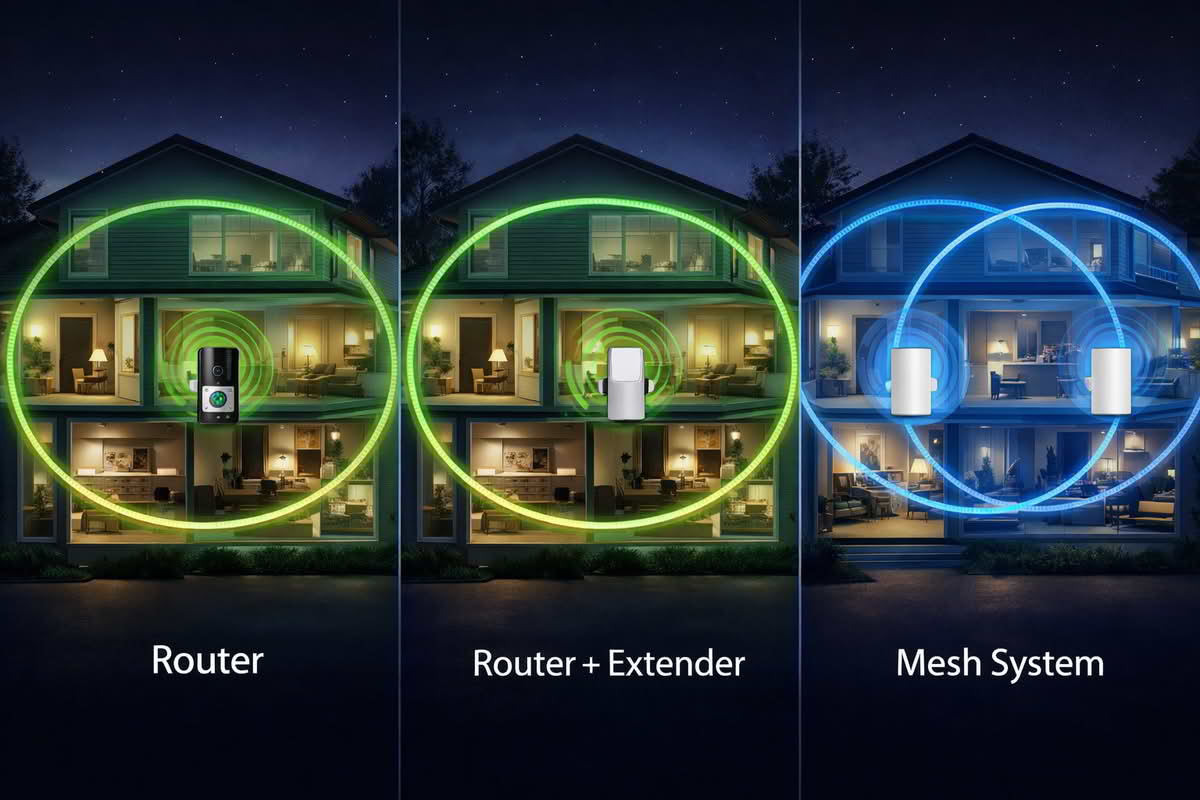
In many apartments, condos, and smaller straightforward homes, a strong modern router is still the cleanest starting point. If the modem can live in a reasonable central location and the house does not have multiple serious weak zones, a router-first setup can be simple, affordable, and easy to manage. This kind of starter network makes especially good sense when the main goals are supporting a handful of speakers, plugs, displays, and a few perimeter devices without introducing more hardware than necessary.
Mesh starter kits make more sense when the home has a shape that one router is unlikely to cover evenly. Longer homes, multi-story homes, awkward modem locations, and houses with device clusters spread across several important areas often benefit from starting with two or three coordinated nodes instead of trying to fix coverage later in patches. The key point is that mesh should be chosen because the layout calls for distribution, not because it sounds like the automatically superior networking choice.
Router-plus-extender setups occupy a narrower role. They can be practical in homes that are mostly fine except for one obvious dead zone where a smart camera, office device, or bedroom cluster struggles. But they work best when this is recognized as a targeted fix rather than as a full foundation for a complex house. Buyers often use extenders to postpone a more appropriate upgrade and end up with a network that technically reaches farther while still feeling less stable than it should. A starter system should only use an extender when the weakness is truly limited and the placement path is clear.
Choose a stronger single-router setup when the home is compact enough to be served cleanly from one sensible location.
Choose starter mesh kits when the layout itself demands broader distributed coverage.
Choose router-plus-extender setups only when the home has one narrow weak zone instead of several broader coverage problems.
Build the first network structure intentionally instead of layering products reactively as problems appear.
Apartment smart-home network bundles deserve special mention because many apartments look easy to network but are not. The challenge is often not size. It is modem placement, thick walls, and neighboring interference. In those cases, a carefully chosen router may be enough, but a small mesh kit can still make sense if the apartment layout pulls coverage in several directions from a poor starting point. The better choice depends on whether the weak areas are isolated or simply the result of one awkward internet entry point.
Device-heavy homes need a different kind of realism. If the household already uses several speakers, displays, cameras, televisions, work devices, and hubs, the starter network should be judged less by basic coverage and more by how calmly it will support simultaneous activity. That often pushes the decision toward a stronger router or a modest mesh kit rather than a minimal setup that looks affordable but already feels narrow on day one.
The best starter network comes from matching the structure to the home itself, whether that means one strong router, a targeted extender setup, or a small mesh kit.
Another useful way to think about this decision is by future correction cost. A slightly better first structure often saves the household from piecemeal fixes later. That does not mean overspending wildly for imagined future needs. It means recognizing that the first network should be good enough to support the first wave of smart-home devices without immediately requiring workarounds. When the structure matches the home honestly, later growth tends to stay calmer and cheaper.
The better buying mindset is to choose the least complicated structure that fully matches the layout and device pattern of the home. That may still be simple. The important thing is that it is intentionally simple, not accidentally underbuilt.
Build for stable daily use and gradual growth, not just for setup-day success
A smart-home network starter is successful when the house becomes boring to manage. Cameras stay online, speakers respond consistently, displays load quickly enough, and connected devices stop revealing weak corners of the home. That is a much more useful standard than a one-time speed test or a smooth setup app. Networking for a smart home should be judged by how little it demands attention once ordinary life resumes.
Reliability matters more than peak performance because many smart-home devices do not need huge bandwidth. They need steady background connectivity. A network that looks fast but lets porch cameras, garage controllers, or room speakers fall offline unpredictably is not doing its job well. This is one reason beginners should care less about maximum speed numbers and more about how many devices the network needs to support quietly and at the same time.
Growth should also be expected, but handled calmly. Most starter smart homes do not stay starter homes for very long. One speaker becomes three. One camera becomes a doorbell plus a backyard camera. A thermostat gets added, then some plugs, then maybe a display or a lock. A good network does not need to be designed for every possible future device, but it should not feel exhausted by the first round of additions either. That is why a little headroom matters. The best starter system usually leaves enough breathing room that the next few devices feel natural rather than risky.
Prioritize quiet reliability for smart-home devices over the highest possible speed claims.
Choose hardware with enough headroom that a few future devices will not immediately strain the setup.
Judge the network by whether edge devices, speakers, displays, and cameras behave consistently day after day.
Remember that a smart-home network succeeds when the household stops noticing it.
App quality and manageability matter too. A router or mesh system is not only hardware. It is also the management experience the household will live with. Good software should make setup understandable, show network status clearly enough, and support basic controls like guest networks or device grouping without turning the home network into a side project. A powerful setup can still feel annoying if the app is cluttered or hard to trust. For beginners especially, calm management is often more valuable than deeper controls they will rarely use.
It also helps to think about room-by-room failure tolerance. If the bedroom smart speaker takes an extra moment, that may be mildly annoying. If the front camera or smart lock area feels unreliable, the whole connected-home experience feels more fragile. That means the best starter network is not necessarily the one that improves average coverage most. It is the one that makes the highest-importance zones feel dependable enough that the household trusts the system. Cameras, front-entry devices, office setups, and shared living spaces usually deserve the most attention here.
Another quiet source of regret is overbuilding too early. A home that only needs one strong router can become more annoying if the owner introduces unnecessary nodes, extenders, or specialized gear out of fear. On the other hand, underbuilding a clearly difficult home creates its own form of regret through repeated device failures and piecemeal upgrades. The lower-regret choice is usually the one that matches current needs honestly while leaving modest room for the next layer of smart-home growth.
The best buying mindset is to treat the starter network as household infrastructure, not as a networking experiment. Ask whether it supports the rooms that matter, whether it will remain understandable once installed, and whether it can absorb the next few devices without becoming tense. Those questions reveal more about long-term value than any list of technical specifications. When the answers are good, the network tends to disappear into the background, which is exactly what a healthy smart-home foundation should do.
Final Recommendations — choosing a starter network that supports the smart home cleanly
The right smart-home network starter is usually the one that matches your layout, covers the device zones that actually matter, and leaves enough room for moderate growth without becoming complicated to manage. Start by mapping the weak points and device clusters, then choose the simplest structure that fully supports them instead of buying networking pieces one at a time without a plan.
Choose starter mesh kits when the home layout creates several meaningful weak zones or spreads smart devices across multiple important areas.
Choose starter router-plus-extender setups when the home is mostly well covered and only one narrow dead zone needs a targeted fix.
Choose apartment smart-home network bundles when the footprint is modest but modem placement and interference still require a thoughtful, compact solution.
Choose more device-capable starter setups when the household already relies on several speakers, cameras, displays, and connected devices that need calmer network support.
In the long run, the best starter network is the one that makes the smart home feel more dependable without making the household think about networking all the time. It should support everyday devices quietly, handle the next layer of growth sensibly, and give the home a stable connectivity foundation that feels deliberate instead of patched together.